What to Do If Your Top-Up Hasn't Arrived: Check the Order First, Then Verify the Account
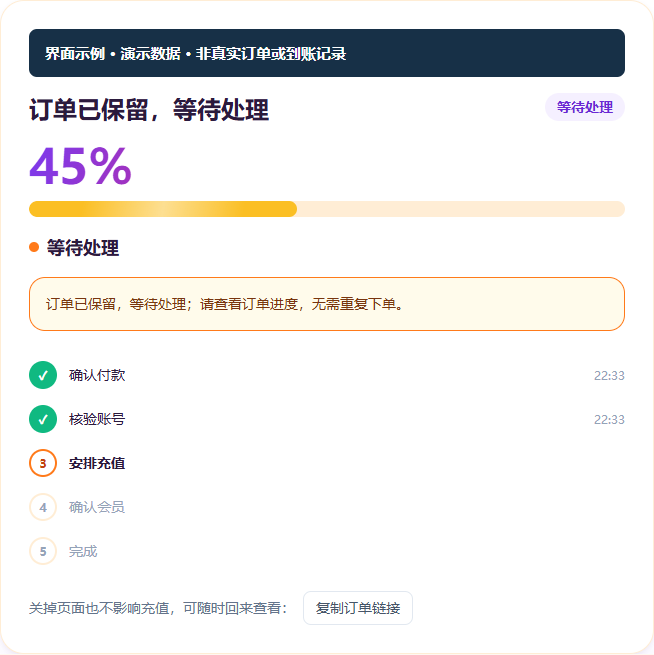
Distinguish between Processing, Completed, and Failed statuses. While an order is processing, do not log out or make a separate purchase. Refunds are governed by this site's terms and the outcome of the order.
Step 1: Check the Order Status
On the Order Lookup page, enter the email address you used at checkout and the last four digits of your order number to review your current order. First distinguish between statuses such as "Processing," "Completed," and "Failed." Do not judge the outcome from a single page refresh.
Processing: Keep Your Records and Avoid Duplicate Actions
If the top-up is still in progress, wait as instructed on the order page or contact support. During processing, do not log out of ChatGPT or change your password, and do not simultaneously purchase, upgrade, cancel a membership, or request a refund on the official page, as this may affect the order.
This article does not promise delivery within a fixed number of minutes. If the page shows no progress for an extended period, or you cannot determine the status, contact support with your order number and a redacted error message. Do not repeatedly create new orders or submit other accounts.
Completed: Verify the Correct Account
Confirm that the email address shown on the order matches the account you are actually checking. After the top-up is complete, you may log out and log back in as instructed on the site, then check the membership status in your official account. If it still does not match, keep a screenshot and contact support to verify. Do not submit full session credentials in chat.
How Failures and Refunds Are Handled
Under this site's current Terms of Service, orders that could not be successfully topped up are refunded in full to the original payment method. Refunds after a successful top-up and warranty coverage are subject to separate conditions. A status of Failed does not mean the funds have already been returned. Please verify against the order outcome and your records from the original payment channel.
Do not conflate refunds for ordinary failures, warranty coverage for a membership that lapses after a successful top-up, and cases such as account bans. For the specific scope of coverage and the situations not covered by the warranty, please read the terms before contacting support.
Copy verified and corrected on: October 13, 2026.
FAQ
How do I check the current status of my order?
On the Order Lookup page, enter the email address you used at checkout and the last four digits of your order number to review your current order. First distinguish between Processing, Completed, and Failed. Do not judge based on a single page refresh.
The status shows Processing. What should I do?
Keep your order number and wait, or contact support. During processing, do not log out of ChatGPT, do not change your password, and do not simultaneously purchase, upgrade, cancel a membership, or request a refund on the official page, as this will affect the order.
How long is considered normal?
This article does not promise delivery within a fixed number of minutes. If the page shows no progress for an extended period, or you cannot determine the status, contact support with your order number and a redacted error message. Do not repeatedly create new orders.
If the status shows Failed, will I get a refund?
Under this site's Terms of Service, orders that could not be successfully topped up are refunded in full to the original payment method. A status of Failed does not mean the funds have already been returned. Verify against the order outcome and your records from the original payment channel.
The status shows completed but I don't see the membership. What should I do?
First confirm that the email address shown on the order matches the account you are actually checking, then log out and log back in to check the membership status. If it still does not match, keep a screenshot and contact support. Do not submit full session credentials.
Network conditions can affect connectivity and verification, but you cannot judge answer quality, plan limits, or whether an account is working normally from the exit IP alone.
How long a ChatGPT top-up takes to arrive is a question people often ask before ordering. Here is the short answer: we do not promise a fixed arrival time, because a top-up passes through several stages — account verification, payment confirmation, submission and processing, and activation on the official side — some of which are outside our control. What we can confirm is that we will schedule processing after payment, and progress is shown on the order page;
Where you check your ChatGPT renewal date depends on where you subscribed: web subscriptions in your account settings, Apple in-app purchases in the system subscription list, Google Play on the Play Store subscriptions page, and self-serve Business in the workspace billing page. This article distinguishes the next charge date from the expiration date, gives the lookup steps for each channel, the 24-hour cancellation cutoff, and the order to troubleshoot in when you cannot find the date.
According to the OpenAI official supported countries list verified on 2026-11-20, Hong Kong is not included. The official rule is that the API is unavailable in locations outside the list, and access from outside the list may result in an account being banned or suspended. This article shows Hong Kong users how to check eligibility in three layers — official list, network exit, account status — and explains the order in which to handle a regional error and why a proxy is not a solution.
ChatGPT Business is OpenAI's self-serve ChatGPT workspace plan for teams, priced per seat: a minimum of 2 seats, with Standard seats at 25 USD per person per month on monthly billing or 20 USD per person per month on annual billing, and Premium seats at 125 USD per person per month on monthly billing or 100 USD per person per month on annual billing; API usage and credits beyond the included allowance are billed separately.
Gemini's cost is a subscription fee charged through Google One storage membership and Google AI plans. Every account starts with up to 15GB of free storage, paid tiers start at 100GB, and Google AI plans with AI features start at 200GB. Tiers are based on storage capacity and billed monthly or annually, and the final amount is determined by the tier, the billing cycle, and the billing location. This article checks the storage and availability of each tier and the steps to upgrade, change, or cancel. It also explains the ChatGPT top-up path that readers in Hong Kong and Taiwan can complete with Alipay or WeChat Pay.
The ChatGPT registration region restriction is a rule under which OpenAI only allows users to register accounts and create API keys in countries or regions on its official supported list. This article explains what error you see when registering outside the list, how OpenAI determines the registration region, and why phone number or identity verification must be completed by the account holder. It also sets out the boundary of our top-up service: we handle payment only, not registration or verification.
ChatGPT subscription fees are non-refundable by default. Only a few exceptions may be approved: billing errors confirmed by OpenAI, verified unauthorized charges, documented service or access failures, and an unused individual subscription within 7 days that meets the conditions. The EU, UK, Turkey, South Korea, and Brazil also have statutory refund rights. Accidental purchases, forgetting to cancel, dissatisfaction, and switching plans are not, in themselves, grounds for a refund. This article sets out, by channel and region, the situations in which you can and cannot apply.
Netflix bills monthly only, with no annual plan. Based on the Hong Kong page verified on 2026-11-18, the three ad-free tiers cost HK$78 (Basic), HK$98 (Standard) and HK$118 (Premium) per month, and each extra member costs HK$31 per month. If you only want 4K for yourself, the official service sells you a whole household with 4 slots, whereas our Hong Kong Premium 4K shared slot sells a single position for ¥33 per month and accepts Alipay and WeChat Pay, which is better suited to one person's own use.
MCP (Model Context Protocol) is an open standard that lets AI assistants connect to external tools and data sources; it solves the problem of manually copying and pasting data from tools into the AI. This article explains what it is for, gives the four commands for adding, checking, using, and removing a server in Claude Code, a comparison table of the four connection methods, and the troubleshooting order when a connection fails. It closes with how readers in Hong Kong and Taiwan can complete the payment step for AI tool subscriptions using Alipay, WeChat, and RMB.
An AI Agent is an AI program that can break down a task itself, call tools and work through multiple steps until the job is done, which is quite different from a chatbot that only handles one question and one answer. This article explains the difference and a three-step way to tell them apart, gives the steps for anyone to start using their first agent, and explains how readers in Hong Kong and Taiwan can subscribe to ChatGPT with Alipay or WeChat when they have no usable foreign-currency credit card.
There is no fixed completion time for a top-up: account status, official risk control, queue conditions, and payment confirmation together determine how fast it goes. We do not make a fixed promise; the status on the order page is authoritative. This article breaks down the four factors and explains when to keep waiting and when to contact support.